Steam Deck OLED 512GB vs 1TB: Is the $160 Upgrade Worth It in 2026?
The Steam Deck OLED 1TB costs $949 and the 512GB $789. We break down exactly what the extra $160 buys, how much storage you really need, and cheaper ways to add space.
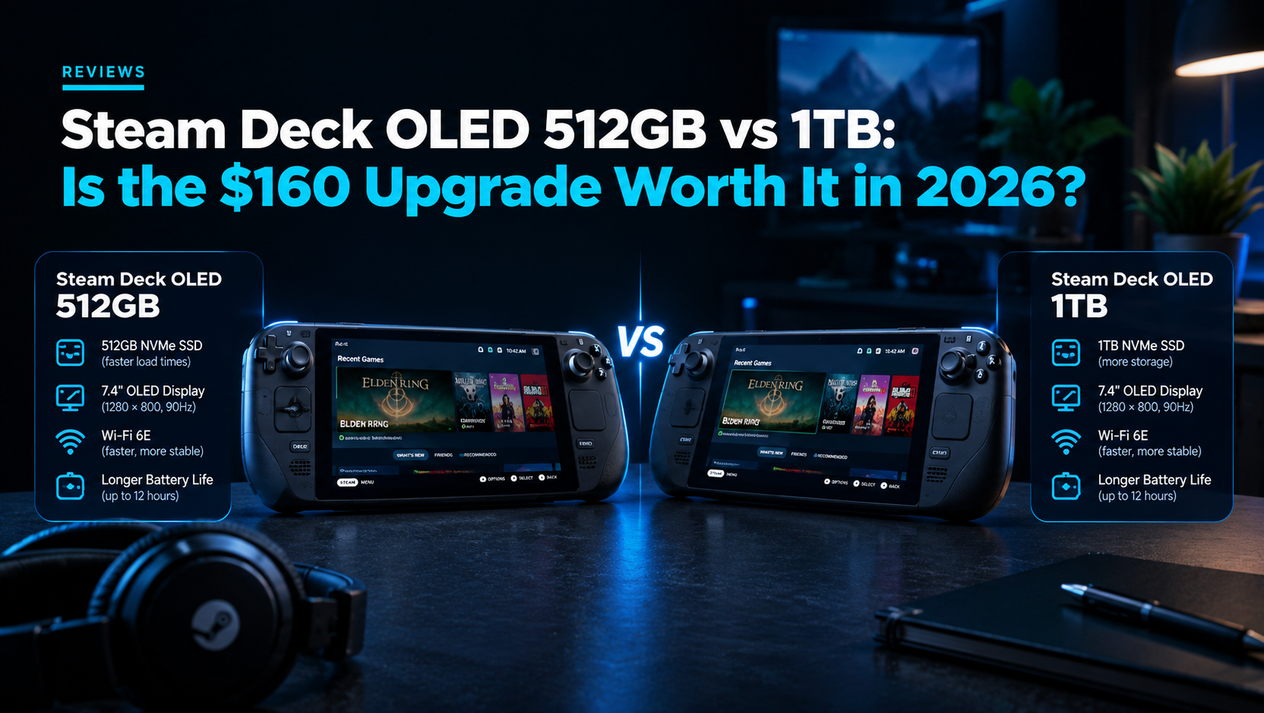
The Steam Deck OLED 512GB and 1TB play every game identically. They share the same chip, 16GB of RAM, 7.4-inch HDR OLED screen, 50Wh battery and Wi-Fi 6E. The $160 difference ($789 vs $949) buys three things: twice the internal storage, an anti-glare etched glass screen and a better carrying case. For most players the 512GB plus a microSD card is the smarter buy. The 1TB earns its price if you play outdoors or by bright windows, install several 100GB+ games at once, or simply never want to manage storage.
Below we show how many real games fit on each model, what the anti-glare glass actually changes, how fast microSD really is for gaming, how to upgrade the internal SSD yourself, and exactly which buyer should pick which version.
Steam Deck OLED 512GB vs 1TB: Every Difference
| 512GB | 1TB | |
|---|---|---|
| Price (since May 27, 2026) | $789 | $949 |
| Valve refurbished | $629 | $759 |
| Storage | 512GB NVMe SSD (M.2 2230) | 1TB NVMe SSD (M.2 2230) |
| Screen glass | Standard glossy | Premium anti-glare etched glass |
| Carrying case | Standard case | Premium case with removable liner |
| Digital extras | — | Exclusive Steam profile bundle and virtual keyboard theme |
| Chip, RAM, battery, display panel, Wi-Fi | Identical | Identical |
| Game performance | Identical | Identical |
Before Valve's price rise the two cost $549 and $649, so the gap has grown from $100 to $160. If you are still deciding whether a Steam Deck is worth buying at all at the new prices, read our Steam Deck OLED worth it in 2026 review first. This page only answers which storage model to choose.
How Many Games Fit on 512GB vs 1TB?
Drive makers count a gigabyte as 1,000 megabytes, while SteamOS counts 1,024, so a 512GB drive shows roughly 476GB and a 1TB drive about 931GB. SteamOS itself, shader caches and game saves then take a further slice. Here is how much space some popular games ask for on Steam:
| Game | Approx. install size | Type |
|---|---|---|
| Baldur's Gate 3 | ~150GB | Large AAA |
| Red Dead Redemption 2 | ~150GB | Large AAA |
| Starfield | ~125GB | Large AAA |
| Hogwarts Legacy | ~85GB | AAA |
| Cyberpunk 2077 | ~70GB | AAA |
| Elden Ring | ~60GB | AAA |
| Hades | ~15GB | Indie |
| Hollow Knight | ~9GB | Indie |
| Stardew Valley | Under 1GB | Indie |
Sizes change with patches and DLC, so treat these as ballpark figures. In practice, that means:
- 512GB: about three of the very largest games, or five to seven mid-size AAA titles, plus a healthy indie collection.
- 1TB: roughly double — six of the largest games, or a dozen mid-size AAA titles with room to spare.
- Mostly indie players: even 512GB holds well over a hundred small games.
Is the Anti-Glare Screen Worth $160?
The 1TB model's etched glass has a fine texture that scatters reflections from lamps, windows and sunlight. Its effect depends entirely on where you play:
| Where you play | Glossy (512GB) | Anti-glare (1TB) |
|---|---|---|
| Dark bedroom or sofa at night | Deeper blacks, punchier image | Slightly softer look |
| Bright living room | Visible lamp and window reflections | Reflections diffused |
| Train, plane, café | Overhead lights reflect | Noticeably easier to see |
| Outdoors | Hard to see in direct sun | Clearly better |
If you mostly play at home in the evening, glossy glass actually shows off the OLED panel better. If you commute or travel with your Deck, the etched glass is the most useful upgrade on the 1TB model. A matte screen protector on the 512GB gives a similar effect for a small fraction of $160, though most add a little grain to the image.
3 Cheaper Ways to Get More Storage
1. Add a microSD Card
The Steam Deck's microSD slot supports UHS-I cards, which top out around 100MB/s — far slower than the internal NVMe SSD on paper. In real games the difference is mostly a few extra seconds on loading screens; once a level is loaded, frame rates are the same. Buy a card rated A2 and U3/V30 from a reputable brand, insert it, and SteamOS will offer to format it. Games can then be installed straight to the card or moved between card and SSD from each game's settings. Card prices have risen with the 2026 memory shortage, so compare the price of a large card against the $160 gap before deciding.
Tip: keep the one or two games with the longest loading screens or open-world streaming on the internal SSD, and put everything else on the card.
2. Upgrade the Internal SSD
Both models use a standard M.2 2230 NVMe drive, and 2TB drives in this size are widely available. The job takes about an hour:
- Create a SteamOS recovery USB drive from Valve's official recovery image.
- Discharge the battery below 25%, power off and enable battery storage mode from the BIOS.
- Remove the back screws, open the shell carefully and lift the shield over the SSD.
- Swap the drive, keeping the original's protective sleeve, and close the device.
- Boot from the recovery USB and reimage SteamOS onto the new drive.
iFixit publishes photo guides for every step. Valve warns that damage caused during self-repair is not covered by warranty, so only do this if you are comfortable with small screws and ribbon cables.
3. Buy a Refurbished 1TB
Valve's certified refurbished 1TB costs $759 — $30 less than a new 512GB — and includes the anti-glare glass. Refurbished prices did not rise in May 2026, which makes this the best value of all when stock appears. It sells out quickly, so check the Steam Deck store page regularly.
Total Cost: Which Route Is Cheapest for More Storage?
| Route | Upfront cost | Storage | Anti-glare | Effort |
|---|---|---|---|---|
| New 512GB | $789 | 512GB | No | None |
| New 512GB + microSD | $789 + card | 512GB + card | No | Minimal |
| New 1TB | $949 | 1TB | Yes | None |
| Refurbished 1TB | $759 | 1TB | Yes | Wait for stock |
| New 512GB + 2TB SSD swap | $789 + SSD | 2TB | No | About an hour |
Which Steam Deck OLED Should You Buy? 5 Buyer Profiles
- The indie and retro player → 512GB. Small games, lots of them. You will rarely fill it.
- The home player with a big AAA backlog → 512GB + microSD. The glossy screen looks better indoors, and a card covers the storage.
- The commuter or frequent traveller → 1TB. Anti-glare glass makes a real difference on trains and planes, and you can download more before a trip.
- The tinkerer → 512GB + SSD upgrade. The most storage per dollar if you are happy to open it.
- The bargain hunter → refurbished 1TB. More for less than a new 512GB, with the same warranty.
Steam Deck OLED 512GB vs 1TB FAQs
Is the 1TB SSD faster than the 512GB?
Both use NVMe drives on the same connection, so you will not notice a speed difference in games.
Can I add anti-glare to the 512GB later?
Not the etched glass itself, but a matte screen protector gives a similar effect.
Do games run worse from a microSD card?
Frame rates are generally the same; loading times are a little longer, and a few open-world games may stutter slightly more when streaming new areas.
Does the 1TB battery last longer?
No. Both have the same 50Wh battery and identical battery life.
Is the Steam Deck OLED still the right handheld at these prices?
It is still the most polished SteamOS handheld with the best screen in its class, but at $789 and up it is worth comparing. See our Steam Deck vs ROG Ally and Legion Go S vs Steam Deck comparisons, or our full best handheld gaming PC ranking.
The Verdict
Buy the 512GB if you mostly play at home: the glossy screen looks better indoors, games run identically, and a microSD card covers extra storage. Buy the 1TB if you play on the move often enough for the anti-glare glass to matter. And if Valve has refurbished stock, the $759 refurbished 1TB beats both new models on value.
How we researched this guide: prices come from Valve's Steam Deck store (October 2026), install sizes from each game's Steam store requirements, and upgrade steps from Valve's and iFixit's published repair guidance. Install sizes change with updates, so check the store page for the latest figure.
If you're still comparing handhelds, see our MSI Claw models compared, MSI Claw 8 EX AI+ vs ROG Xbox Ally X comparison, and MSI Claw 8 AI+ review.