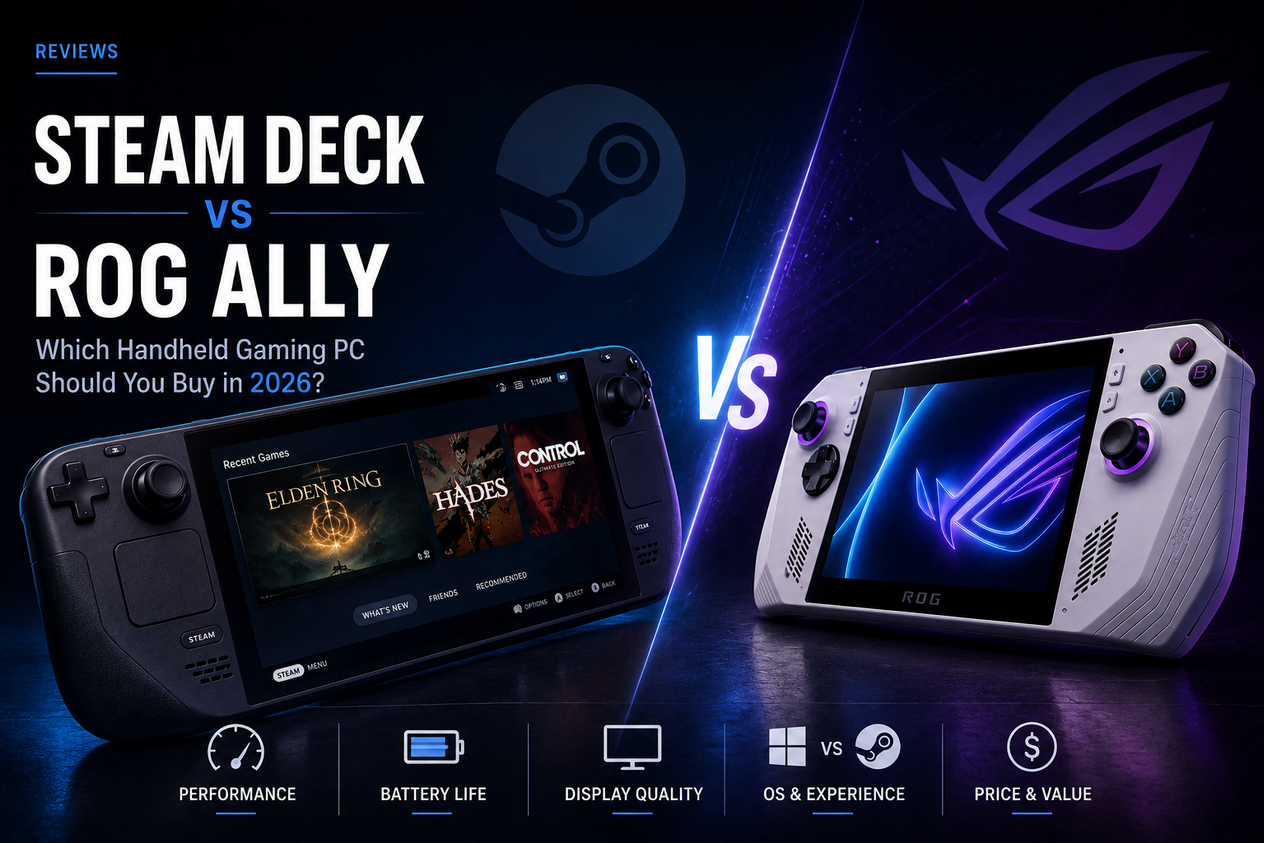
Steam Deck vs ROG Ally: Which Handheld Gaming PC Should You Buy in 2026?
Steam Deck OLED vs ROG Ally — price, performance, battery, and software compared. Find out which handheld gaming PC is worth buying in 2026.
The handheld gaming PC market looked simple two years ago. Now it doesn't. Valve raised Steam Deck OLED prices by 44% in May 2026, ASUS launched the ROG Xbox Ally X in partnership with Microsoft at $999.99, and a wave of competitors have pushed the category into genuinely complicated territory.
This comparison cuts through the noise. We're focusing on the two handhelds most buyers are actually choosing between: the Steam Deck OLED and the ROG Ally Z1 Extreme (and where relevant, the newer ROG Xbox Ally X). We've pulled specs, pricing, and benchmark data from multiple independent sources to give you a clear answer on which one deserves your money.
Steam Deck vs ROG Ally: Specs and Price Compared
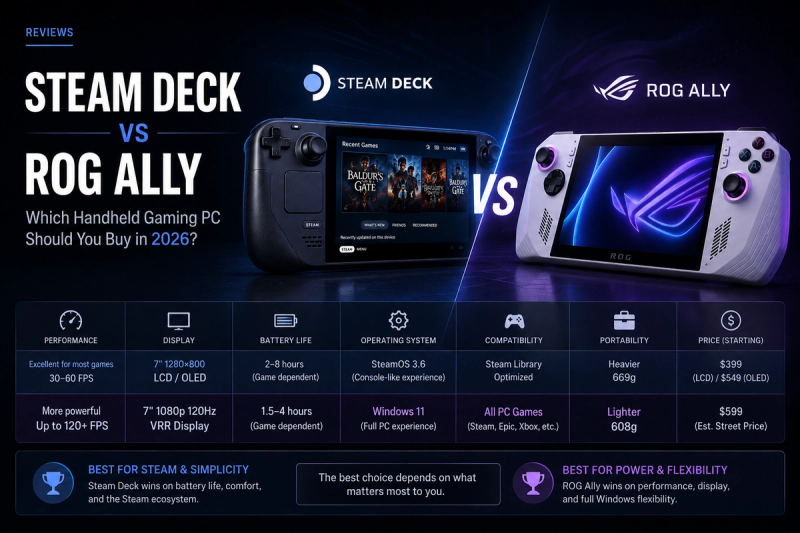
Here's every number that matters, side by side.
| Spec | Steam Deck OLED | ROG Ally Z1 Extreme | ROG Xbox Ally X |
|---|---|---|---|
| Price | $789 (512GB) / $949 (1TB) | $599 | $999.99 |
| Chip | AMD Van Gogh (Zen 2 / RDNA 2) | AMD Ryzen Z1 Extreme (Zen 4 / RDNA 3) | AMD Ryzen AI Z2 Extreme (Zen 4 / RDNA 3) |
| GPU throughput | ~1.6 TFLOPs | ~8.6 TFLOPs | Higher |
| RAM | 16GB LPDDR5 | 16GB LPDDR5 | 24GB LPDDR5X |
| Storage | 512GB or 1TB NVMe | 512GB NVMe | 1TB NVMe |
| Display | 7.4" OLED, 1280×800, 90Hz, HDR, 1000 nits | 7" IPS, 1920×1080, 120Hz | 7" IPS, 1920×1080, 120Hz |
| Battery | 50Wh | 40Wh | 80Wh |
| Battery life (AAA gaming) | ~2–3 hours | ~1.5–2 hours | ~2–3 hours |
| Battery life (indie/light) | 6–10 hours | 3–5 hours | 4–6 hours |
| OS | SteamOS (Linux) | Windows 11 | Windows 11 + Xbox UI |
| Weight | 640g | 608g | 715g |
| USB | USB-C 3.2 Gen 2 | USB-C 3.2 Gen 2 | USB4 |
The price landscape shifted sharply in 2026. Valve's May price hike brought the Steam Deck OLED to $789 — up from $549 — narrowing the gap with the ROG Ally lineup considerably. The ROG Ally Z1 Extreme at $599 is now only $190 more than the base Steam Deck, which changes the calculus for budget-conscious buyers.
Performance: How Much Faster Is the ROG Ally?
On paper, the ROG Ally Z1 Extreme's GPU throughput of roughly 8.6 TFLOPs dwarfs the Steam Deck OLED's 1.6 TFLOPs. In practice, the real-world gap is narrower than that 5x figure suggests — and the reason comes down to three factors.
Why the Steam Deck Punches Above Its Weight
The Steam Deck renders to a 1280×800 panel — a meaningfully lower resolution than the Ally's 1080p screen, which means the GPU is doing less work per frame. SteamOS also brings years of per-game optimisation and a hardware-matched Proton compatibility layer, squeezing efficiency out of older silicon that Windows can't match. At matched 15W power draws, benchmarks from multiple 2026 reviewers put the gap at roughly 7–10 FPS more on the Ally Z1 Extreme in demanding titles — one performance tier, not a generation.
Where the Ally Pulls Ahead
Unleash the ROG Ally at 25–30W Turbo mode and it comfortably clears 50 FPS in titles where the Steam Deck is working hard to hit 35–42 FPS. That headroom matters for demanding AAA releases and competitive games where frame rate is everything. The newer ROG Xbox Ally X, running the Ryzen AI Z2 Extreme, extends that lead further — roughly 20–30% ahead of the Z1 Extreme model. The trade-off: running at 25–30W drains the Ally's 40Wh battery fast. You gain frames; you lose session length.
Battery Life: Steam Deck Wins, With a Caveat
The Steam Deck OLED's 50Wh battery, combined with SteamOS's power efficiency, delivers genuinely longer gaming sessions than the base ROG Ally. Indie and older titles regularly hit 6–10 hours on the Deck. The Ally Z1 Extreme's 40Wh cell at similar loads runs 3–5 hours. For AAA gaming, both devices converge toward 2–3 hours — the Deck because its hardware is working harder at its ceiling, the Ally because Turbo mode burns through its battery. The ROG Xbox Ally X is the exception: its 80Wh battery doubles the base Ally's capacity, delivering the longest AAA sessions of any 7-inch handheld in 2026.
Display: OLED vs 1080p IPS
This is where the Steam Deck OLED earns its name. A 7.4-inch HDR OLED panel with true blacks, 1000-nit peak brightness, and 90Hz refresh is genuinely stunning for a $789 handheld. If you play dark atmospheric games — RPGs, horror, space titles — the contrast difference versus an IPS screen is immediately visible. The ROG Ally's 7" 1080p IPS panel at 120Hz has the resolution advantage. Text is sharper, competitive games benefit from the higher pixel density and smoother refresh, and the screen is perfectly fine. It's just not OLED. If display quality matters to you, the Steam Deck wins. If you play games where pixel density or 120Hz matters more than contrast, the Ally's panel is the better fit.
Software: SteamOS vs Windows 11
This is the biggest practical difference between the two devices, and it's not close.
SteamOS: The Handheld-First OS
SteamOS is purpose-built for handheld gaming. It boots into Big Picture mode, games launch with a controller, suspend and resume work reliably, and Proton compatibility covers the vast majority of the Steam catalogue — over 14,000 verified or playable titles. There's no desktop clutter, no Windows update interruptions, and no driver management. The limitation is real: if a game uses an anti-cheat system that doesn't support Linux, it won't run on the Steam Deck. Non-Steam launchers like Epic and Battle.net are possible via workarounds but require effort.
Windows 11: Flexible but Fiddly
The ROG Ally runs full Windows 11, which means your entire PC library works — Steam, Epic, Battle.net, Xbox Game Pass, whatever you have. Game Pass compatibility is a genuine advantage for subscribers; a $15/month pass gives you access to hundreds of titles without buying them. The downside is that Windows wasn't designed for a 7-inch touchscreen without a keyboard and mouse. Setup takes time, drivers need managing, and even with ASUS's Armoury Crate interface layered on top, the experience is more effort than SteamOS. The ROG Xbox Ally X adds Microsoft's Xbox full-screen UI to reduce that friction, which helps — but Windows still surfaces underneath.
Who Should Buy Each Device?
Buy the Steam Deck OLED if:
- Your library is primarily on Steam
- You want the best display and the longest battery life for indie and RPG gaming
- You prefer a polished, low-friction gaming experience out of the box
- Budget matters and $789 is already a stretch
Buy the ROG Ally Z1 Extreme if:
- You use Game Pass or have a large library across Epic, Battle.net, and Steam
- You play games that don't run well under Proton
- You want better sustained performance for demanding AAA titles
- You plan to dock it and use it as a light desktop PC
Buy the ROG Xbox Ally X if:
- You want the most powerful 7-inch handheld available
- Battery life is a priority alongside performance
- You're comfortable paying $999.99 for the best
Steam Deck vs ROG Ally: Quick Reference
| Steam Deck OLED | ROG Ally Z1 Extreme | ROG Xbox Ally X | |
|---|---|---|---|
| Best for | Steam library, OLED, battery | Windows flexibility, performance | Maximum performance |
| Price | $789 | $599 | $999.99 |
| Performance | Good | Better | Best |
| Battery (AAA) | 2–3 hrs | 1.5–2 hrs | 2–3 hrs |
| Display | OLED, 90Hz | IPS 1080p, 120Hz | IPS 1080p, 120Hz |
| OS | SteamOS | Windows 11 | Windows 11 + Xbox UI |
| Verdict | Best all-rounder | Best value | Best power |
The Verdict
For most buyers in 2026, the ROG Ally Z1 Extreme at $599 is the practical pick. It's $190 cheaper than the Steam Deck OLED, delivers better performance in demanding titles, and gives you the full Windows library. The trade-off is a shorter battery and a less polished handheld OS experience.
If you live in Steam and care about display quality and battery life, the Steam Deck OLED is worth the $789. SteamOS is the better handheld operating system, and no 7-inch screen in this price range touches its OLED panel.
The ROG Xbox Ally X at $999.99 is for a specific buyer: one who wants maximum performance, the 80Wh battery, and the integrated Xbox experience. For everyone else, the 2024 ROG Ally Z1 Extreme handles every major 2026 release without bottlenecking — and saves you $400 versus the X model.
For a closer look at how the MSI Claw stacks up against the ROG Ally lineup, see our MSI Claw 8 EX AI+ vs ROG Xbox Ally X comparison.