8 Best ROG Ally Docks in 2026, Matched to Every Model (Plus TV Setup and Fixes)
Eight ROG Ally docks compared and matched to each Ally model, with ports, video output and power, a guide to what specs matter, step-by-step TV setup and fixes for the most common docking problems.
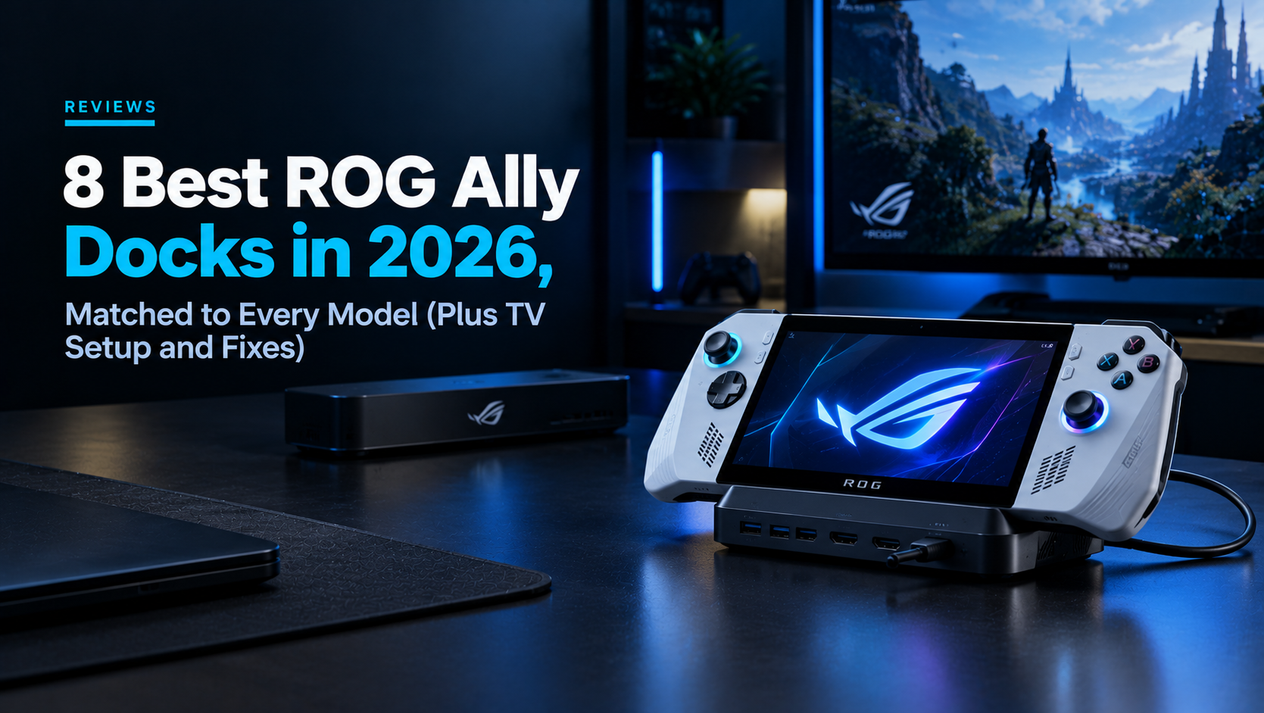
A good dock turns a ROG Ally into a living-room console: it charges the handheld, sends the picture to your TV or monitor, and connects a controller, keyboard, mouse and Ethernet. The tricky part is fit. The five ROG Ally models have different ports and very different shapes, so a cradle that holds the slim 2023 Ally may not hold the grip-style ROG Xbox Ally. This guide matches eight docks to each model, explains which specs actually matter, and walks through TV setup and the fixes for the most common problems.
Dock details come from ASUS and manufacturer specifications plus published dock roundups. We have not tested every dock with every model, so for the Xbox Ally models in particular, always confirm compatibility on the product listing before buying.
Quick Picks: Best ROG Ally Dock by Model
| Your model | Best dock | Budget pick |
|---|---|---|
| ROG Ally (2023) | JSAUX 6-in-1 HB0603 | JSAUX 5-in-1 HB0602 (~$27) |
| ROG Ally X (2024) | JSAUX 6-in-1 HB0603 | UGREEN 9-in-1 Foldable |
| ROG Xbox Ally / Xbox Ally X | ROG Bulwark Dock (desk) | ASUS 100W Charger Dock (cable) |
| ROG Xbox Ally X20 | ASUS 100W Charger Dock or a USB4 hub | Any USB-C hub with HDMI and 100W passthrough |
ROG Ally Ports by Model: What Your Dock Plugs Into
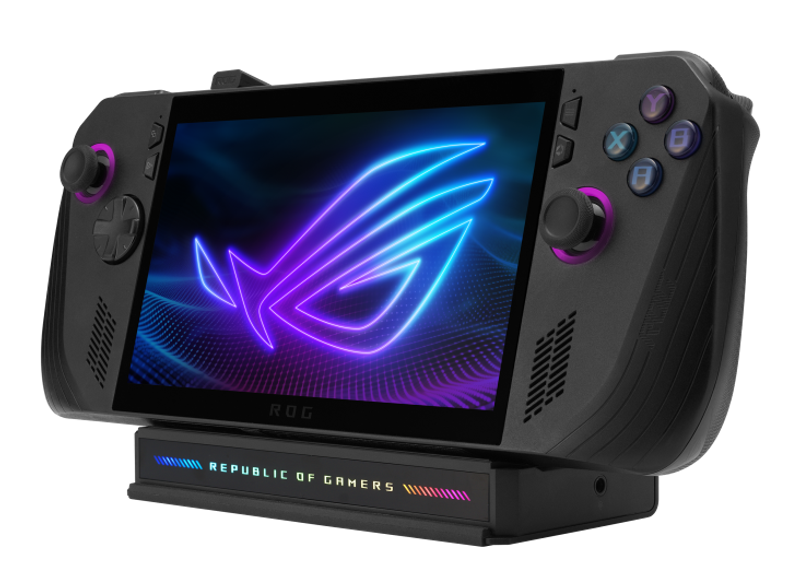
| Model | USB-C ports | USB4 | Charger |
|---|---|---|---|
| ROG Ally (2023) | 1× USB-C / XG Mobile combo (USB 3.2 Gen 2, DP 1.4) | No | 65W |
| ROG Ally X (2024) | 1× USB-C 3.2 Gen 2 + 1× USB4 | Yes | 65W |
| ROG Xbox Ally (2025) | 2× USB-C 3.2 Gen 2 | No | 65W |
| ROG Xbox Ally X (2025) | 1× USB-C 3.2 Gen 2 + 1× USB4 | Yes | 65W |
| ROG Xbox Ally X20 (2026) | 1× USB-C 3.2 Gen 2 + 1× USB4 (DP 2.1) | Yes | 68W |
Every one of these ports carries video and power, so any USB-C dock with HDMI output will technically work with any Ally. What decides your choice is physical fit (cradle shape and where the port sits), whether the dock can pass enough power, and whether you want a desk stand or a travel cable.
The 8 Best ROG Ally Docks
| Dock | Video | USB / Ethernet | Power | Fits |
|---|---|---|---|---|
| JSAUX 6-in-1 HB0603 | HDMI 2.1, 4K 120Hz, VRR/ALLM | 3× USB 3.0, Gigabit | 100W | Ally, Ally X |
| ASUS ROG Bulwark Dock DG300 | HDMI 2.1, 4K 144Hz | 3× USB-A 10Gbps, Gigabit, 3.5mm | 100W to device (charger sold separately) | All (adjustable stand) |
| ASUS ROG 100W Gaming Charger Dock | HDMI 2.0, 4K 60Hz / 1080p 120Hz | 2× USB-A 2.0 | 100W built in | All (cable) |
| UGREEN 9-in-1 Foldable | HDMI, 4K 60Hz (1080p 240Hz) | 2× USB-A + 1× USB-C 10Gbps, SD/TF, Gigabit | 100W | Ally X (check others) |
| iVANKY 8-in-1 VCA23 | HDMI 2.1, 4K 144Hz | 3× USB-A 3.0, Gigabit | 100W | Ally, Ally X |
| JSAUX HB0609 Modular | HDMI, 4K 120Hz (no VRR) | 2× USB-A + 1× USB-C 3.2, Gigabit | 100W | Ally X |
| JSAUX 5-in-1 HB0602 | HDMI 2.1, 4K 120Hz | 2× USB 2.0, 100Mbps | 100W | Original Ally (~$27) |
| Sabrent DS-RA6P | HDMI, 4K 60Hz | 3× USB-A, 1× USB-C | 95W | Original Ally (~$30) |
1. JSAUX 6-in-1 (HB0603) — Best Overall for the Ally and Ally X
This is the dock to get if you own a 2023 Ally or 2024 Ally X. HDMI 2.1 supports 4K at 120Hz and passes through VRR and ALLM, so a compatible TV switches to game mode and smooths out frame-rate dips. Three USB 3.0 ports, Gigabit Ethernet and 100W power passthrough cover everything else. Its integrated cable reaches the Ally X's port without bending. It does not support the Xbox Ally models.
2. ASUS ROG Bulwark Dock (DG300) — Best Desk Dock for Any Model
ASUS's own full dock uses an adjustable stand rather than a fixed cradle, which is why it suits every Ally including the bulkier Xbox models. It offers HDMI 2.1 up to 4K at 144Hz, three 10Gbps USB-A ports, Gigabit Ethernet and a 3.5mm jack. It accepts up to 140W and passes up to 100W to the handheld, but no charger is included, so add a 100W-plus USB-C adapter to the cost.
3. ASUS ROG 100W Gaming Charger Dock — Best for Travel
A charger with a dock built in: plug it into the wall, connect the USB-C cable to your Ally and an HDMI cable to the TV. It supplies up to 100W, outputs 4K at 60Hz or 1080p at 120Hz over HDMI 2.0 and adds two USB-A 2.0 ports for a controller dongle or keyboard. There is no Ethernet or stand, but because it is a cable rather than a cradle, it works with every Ally and replaces the standard charger in your bag.
4. UGREEN 9-in-1 Foldable — Most Ports
If you want a handheld that doubles as a small desktop PC, this dock has the most connectivity: two 10Gbps USB-A ports, a 10Gbps USB-C port, SD and microSD readers, Gigabit Ethernet and 100W passthrough. Video tops out at 4K 60Hz (or 1080p at 240Hz for a fast monitor). The foldable stand raises the Ally for better airflow, which roundups found kept temperatures down in long sessions.
5. iVANKY 8-in-1 (VCA23) — Best for High-Refresh Monitors
HDMI 2.1 at up to 4K 144Hz makes this a good match for a gaming monitor. It adds three USB-A 3.0 ports, Gigabit Ethernet and 100W power. Ally X owners should check for a BIOS or firmware update first, as reports note Turbo mode at 30W may need it.
6. JSAUX HB0609 Modular — Best Two-Piece Design
This dock splits into a stand and a magnetic hub, so you can take only the hub when travelling. It supports 4K at 120Hz but not VRR or ALLM. Use a 100W charger with it: lower-wattage chargers can trigger power warnings.
7. JSAUX 5-in-1 (HB0602) — Best Budget Dock for the Original Ally
At about $27, this is the cheapest way to get 4K 120Hz HDMI 2.1 output and 100W charging for a 2023 Ally. The trade-offs are slower USB 2.0 ports and 100Mbps Ethernet. Some buying guides flag fit issues with the Ally X, and it does not support the Xbox Ally.
8. Sabrent DS-RA6P — Cheap and Simple
Just under $30, with 4K 60Hz HDMI, three USB-A ports, a USB-C data port and 95W power. It suits the original Ally; the Ally X may not fit. Reviews report detection problems if you plug in power first, so seat the Ally, then connect the charger.
Docking the ROG Xbox Ally, Xbox Ally X and X20
The Xbox models' deep, controller-style grips mean most cradles designed for the Steam Deck or 2023 Ally will not hold them, and few third-party docks confirm compatibility. Three approaches work reliably: a stand-style dock such as the ROG Bulwark, a cable dock such as ASUS's 100W Charger Dock, or a flat USB-C hub with HDMI and power passthrough that sits on the desk while the handheld rests on any stand. Owners of the ROG Xbox Ally and ROG Xbox Ally X should look for listings that name the model explicitly.
The Xbox Ally X and X20 have a USB4 port that ASUS describes as Thunderbolt 4 compliant, so they can also use USB4 or Thunderbolt docks with more bandwidth for fast external SSDs and multiple displays.
5 Dock Specs That Actually Matter
- 100W power passthrough. Docks take some power for themselves. With a 65W charger, the Ally may not get enough for Turbo mode and can show power warnings. Pair any dock with a 100W USB-C charger.
- 1080p at 120Hz, not 4K. No ROG Ally can run modern games at native 4K. You will output 1080p or 1440p and let the TV or AMD's upscaling handle the rest, so HDMI 2.0 is enough for most people.
- VRR and ALLM passthrough. On a compatible TV these smooth frame-rate dips and switch on game mode automatically. They make more difference to how games feel than 4K support.
- Gigabit Ethernet. 100Mbps ports bottleneck large downloads and cloud gaming. Gigabit is worth paying a little extra for.
- Fit for your model. Check the cradle width and cable length against your exact Ally. This matters more than any spec above.
How to Connect a ROG Ally to a TV
- Connect a 100W USB-C charger to the dock and the dock's HDMI cable to your TV. Use an HDMI 2.1-rated cable if you want 120Hz.
- Seat the Ally in the dock or plug the dock cable into its USB-C port — use the USB4 port on models that have one.
- Press Windows + P and choose "Second screen only" to turn off the handheld's display and save power, or "Duplicate" to mirror it.
- In Windows display settings, set the resolution to 1920×1080 and the highest refresh rate your TV supports.
- Pair an Xbox or other controller via Bluetooth, or use a 2.4GHz dongle in the dock's USB port for lower latency.
- In Armoury Crate, choose Turbo while plugged in, and turn on your TV's game mode if ALLM did not switch it automatically.
6 Common ROG Ally Dock Problems and How to Fix Them
| Problem | Likely cause | Fix |
|---|---|---|
| No picture on the TV | Wrong port, input or display mode | Try the other USB-C/USB4 port, check the TV input, press Windows + P |
| Power warning or slow charging | Charger under 100W | Use a 100W USB-C charger with the dock |
| Stuck at 60Hz | HDMI 2.0 dock or cable | Use an HDMI 2.1 dock and cable; set refresh in Windows |
| Dock not detected | Plug-in order or outdated firmware | Seat the Ally first, then power; update BIOS and Armoury Crate |
| Controller lag on TV | Bluetooth interference | Use a wired controller or 2.4GHz dongle |
| Ally gets hot when docked | Poor airflow in the cradle | Use a stand-style or foldable dock that raises the handheld |
What About ASUS XG Mobile?
XG Mobile is ASUS's external graphics dock with a laptop-class GPU inside, which can dramatically boost performance at a desk. Only the original 2023 ROG Ally has the XG Mobile connector; the Ally X and all Xbox models dropped it. If eGPU gaming matters to you, that is one of the few reasons to choose the original Ally — see our ROG Ally Z1 Extreme review.
ROG Ally Dock FAQs
Does a Steam Deck dock work with the ROG Ally?
Usually with the original ROG Ally, since both use USB-C with DisplayPort output and have similar shapes. The Ally X and Xbox models may not sit properly in a Steam Deck cradle, though the electrical connection still works.
Can I use the official 65W charger with a dock?
It works, but the dock keeps some of that power, which can limit Turbo mode and trigger warnings. A 100W charger avoids this.
Can the ROG Ally output 4K?
Yes, for video and the desktop. For modern games, run at 1080p or 1440p for playable frame rates.
Can I connect two monitors?
On models with USB4, a USB4 or Thunderbolt dock with two display outputs can drive two screens. Most single-HDMI docks support only one.
The Verdict
For the 2023 Ally and the Ally X, the JSAUX HB0603 is the best all-round dock, with the HB0602 as a $27 budget option for the original. For the Xbox Ally models, choose a stand-style dock like the ROG Bulwark or a cable dock like ASUS's 100W Charger Dock until more cradles confirm a proper fit. Whichever you buy, budget for a 100W charger. For the full port breakdown of the newer models, see our ROG Xbox Ally X specs guide, and for other handhelds, our best handheld gaming PC ranking.