Bitwarden Review 2026: The Best Free Password Manager, Tested
Bitwarden is open-source, free on unlimited devices, and independently audited. Here's how it works, what the Premium plan adds, and how it compares to 1Password and LastPass.
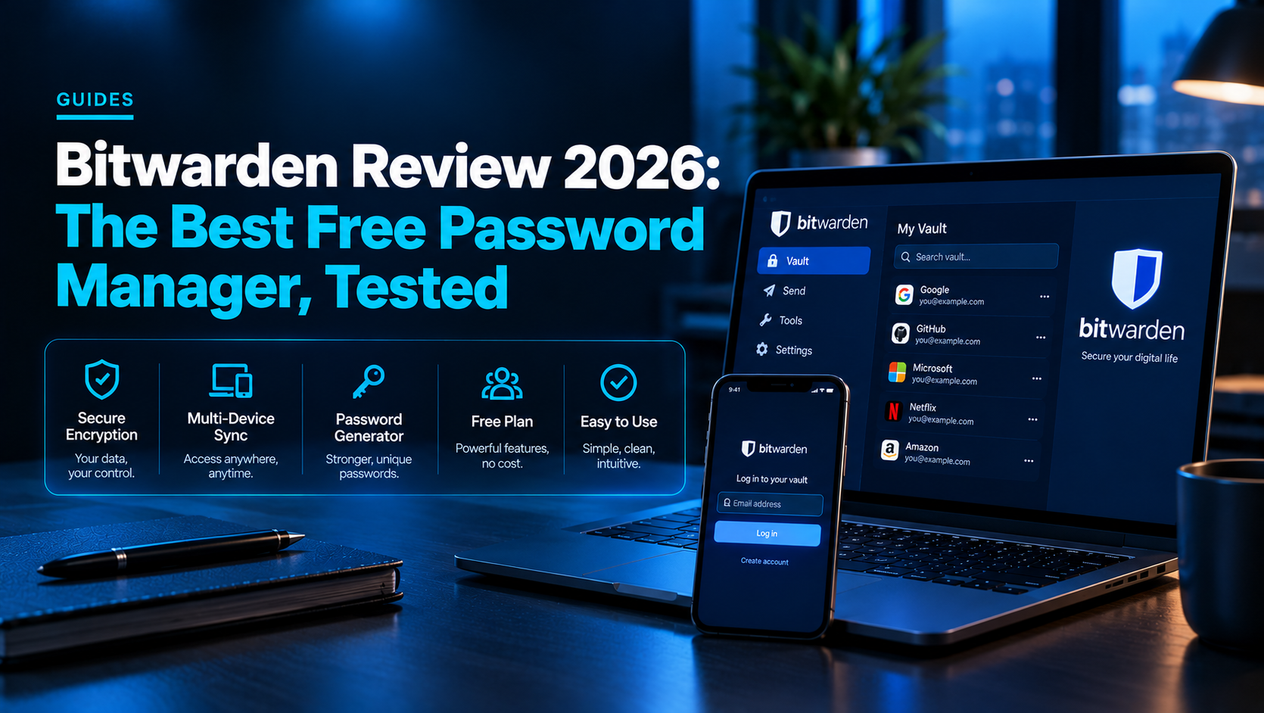
Bitwarden is a free, open-source password manager that consistently ranks as the best free option in head-to-head comparisons. The free plan is genuinely unlimited — no device cap, no password cap — which puts it in a different category from competitors like LastPass (which capped free users to one device type in 2021) and Dashlane (which dropped its free tier entirely).
The short version: Bitwarden is the best password manager for most people, and the free tier is good enough that most users will never need to pay. The $10/year Premium plan adds emergency access, advanced 2FA options, and health reports — useful but not essential.
What Bitwarden Is and How It Works
Bitwarden stores all your passwords in an encrypted vault. The encryption happens on your device before your data ever leaves it (end-to-end, zero-knowledge encryption using AES-256, PBKDF2 SHA-256, and HMAC SHA-256). Even Bitwarden employees cannot read your vault. Your master password is the only key, and Bitwarden never has it.
You access your vault through browser extensions (Chrome, Firefox, Safari, Edge, Brave, and others), mobile apps (iOS and Android), desktop apps (Windows, Mac, Linux), and a web vault at vault.bitwarden.com. Everything syncs automatically across devices.
Bitwarden Plans and Pricing
| Plan | Price | What You Get |
|---|---|---|
| Free | $0 | Unlimited passwords, unlimited devices, all apps, basic 2FA (authenticator app/email) |
| Premium | $10/year | Everything free + advanced 2FA (YubiKey, FIDO2), vault health reports, emergency access, 1GB encrypted file storage, Bitwarden Authenticator (TOTP) |
| Families | $40/year (6 users) | 6 Premium accounts + shared organization vault |
| Teams | $4/user/month | Business sharing, admin controls, event logs |
| Enterprise | $6/user/month | SSO, SCIM provisioning, custom policies, priority support |
What Bitwarden Does Well
- Unlimited free plan with no device restrictions. Most competitors cap free tiers to one device, one device type, or a set number of passwords. Bitwarden's free tier has none of these limits.
- Open source and independently audited. Bitwarden's code is publicly available on GitHub and has been through third-party security audits (most recently by Cure53 in 2023). This is rare among password managers and provides meaningful security assurance.
- Cross-platform with strong browser extension support. Works across every major browser and OS, including Linux desktop — something 1Password and Dashlane handle worse.
- Self-hosting option. Advanced users can run their own Bitwarden server instance (Vaultwarden), giving complete control over their data without relying on Bitwarden's cloud at all.
- Passkey support. Bitwarden added passkey storage and autofill in 2024, letting it replace dedicated passkey managers as sites adopt the standard.
Where Bitwarden Falls Short
- UI is functional but not polished. Compared to 1Password or iCloud Keychain, Bitwarden's interface is visually dated. It gets the job done but lacks the refinement of premium-only competitors.
- Autofill on mobile can be unreliable. iOS and Android autofill integration works, but triggers more inconsistently than Apple's Keychain on iPhone, especially in apps rather than browsers.
- No travel mode. 1Password lets you hide vaults when crossing borders. Bitwarden has no equivalent.
Bitwarden vs Competitors
| Manager | Free Tier | Paid Price | Open Source | Self-Hosting |
|---|---|---|---|---|
| Bitwarden | Unlimited devices + passwords | $10/year | Yes | Yes (Vaultwarden) |
| 1Password | No | $35.88/year | No | No |
| LastPass | One device type only | $36/year | No | No |
| Dashlane | No free tier | $59.99/year | No | No |
| Keeper | Mobile only, no sync | $34.99/year | No | No |
| iCloud Keychain | Free (Apple devices) | Free | No | No (Apple-only) |
Verdict: Is Bitwarden Worth Using?
Bitwarden is the best free password manager available in 2026, and it's genuinely competitive with paid options that cost $35–$60/year. The open-source codebase, third-party audits, zero-knowledge architecture, and unlimited free plan make it the default recommendation for anyone who doesn't want to pay for password management. The $10/year Premium plan is worth it if you want TOTP codes stored alongside passwords (replacing a separate authenticator app) or the emergency access feature for family situations.
The only reason to choose a competitor: if you're deeply in the Apple ecosystem, iCloud Keychain is more seamless on iPhone and Mac for basic password management. If you need travel mode or a more polished UI and don't mind paying $36+/year, 1Password is the premium pick.
Related Guides
What Is a Password Manager and Do You Need One?
Firefox Password Manager: Is It Good Enough in 2026?
Microsoft Password Manager: How It Works, What Changed in 2026, and Whether to Switch