What Is a VPN Kill Switch and Do You Actually Need One?
A VPN kill switch cuts your internet if the VPN drops — here's what it does, how it works, and which VPN services include one by default.
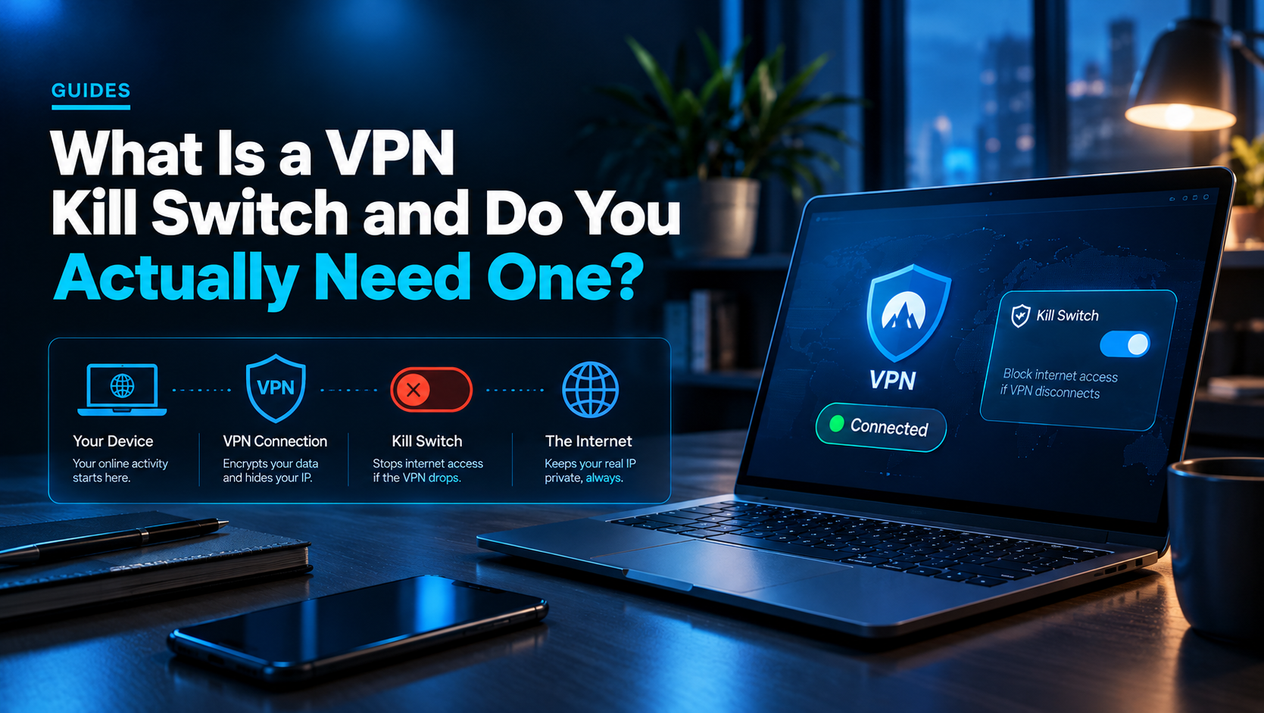
A VPN kill switch is a feature that cuts your device's internet connection the moment your VPN connection drops. Without one, a VPN dropout exposes your real IP address and unencrypted traffic to your ISP, network, or any observer on the connection — often for seconds, but sometimes longer if you don't notice the VPN has disconnected.
This guide covers exactly how a kill switch works, when it matters, which VPN services include one, and when you can skip it entirely.
How a VPN Kill Switch Works
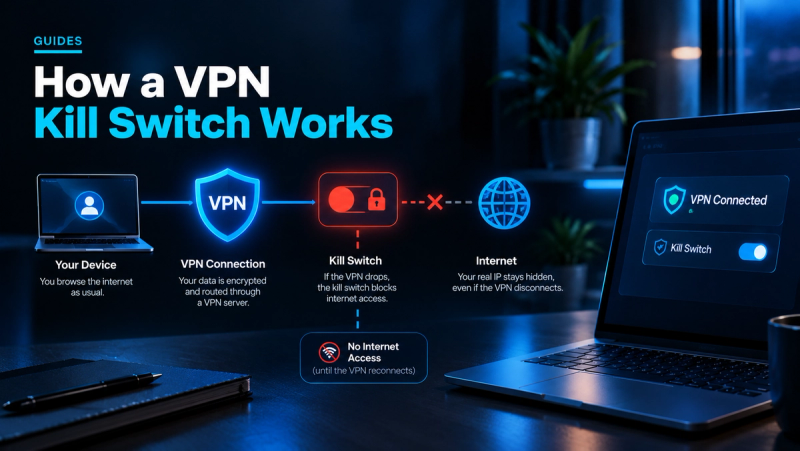
When you connect to a VPN, all your traffic is routed through an encrypted tunnel to the VPN server before reaching the internet. If that tunnel breaks — due to a server issue, a flaky Wi-Fi signal, or the VPN app crashing — most devices instantly fall back to a direct, unencrypted connection through your regular ISP. You may not notice anything at all; your browser keeps loading pages.
A kill switch monitors the VPN tunnel continuously. The moment it detects the tunnel is down, it blocks all internet traffic at the network level — either for the whole device (system-level kill switch) or just for specified apps (app-level kill switch). Traffic only resumes once the VPN reconnects.
System-Level vs. App-Level Kill Switch
A system-level kill switch blocks all network traffic when the VPN drops. Nothing gets through — browsers, email clients, background sync, everything. This is the strongest protection and the right choice for most people who want a kill switch at all.
An app-level kill switch (sometimes called a "split kill switch") lets you choose which apps are blocked when the VPN drops. You might block your BitTorrent client or browser but leave messaging apps unaffected. This is more flexible but requires manual configuration and leaves gaps if you miss an app.
When a Kill Switch Actually Matters
A kill switch is genuinely important in a few specific situations:
- Torrenting or P2P file sharing. Your real IP can be logged by peers in the swarm the moment the VPN drops. A kill switch prevents this exposure entirely.
- Journalists, activists, or anyone in a country with internet surveillance. A VPN dropout in a hostile network environment can be dangerous, not just inconvenient.
- Using public Wi-Fi for sensitive work. Cafes, airports, and hotels are hostile networks. If the VPN drops while you're doing online banking or work email, your session is briefly exposed.
- Running a VPN on a router or server 24/7. If a server restarts and the VPN auto-reconnects, traffic sent in the gap is unprotected. A kill switch closes that window.
When You Can Skip the Kill Switch
If you use a VPN mainly to access geo-blocked streaming content or for general privacy on your home internet connection, a kill switch is less critical. A VPN dropout while watching Netflix just buffers; it doesn't expose anything sensitive. The kill switch becomes a convenience blocker — your internet goes out every time the VPN hiccups, which can be annoying on mobile or with less stable connections.
Which VPNs Include a Kill Switch
Most reputable paid VPNs include a kill switch, but implementation quality varies significantly:
| VPN | Kill Switch | App-Level Option | On by Default |
|---|---|---|---|
| NordVPN | Yes | Yes (App Killer) | No — must enable |
| ExpressVPN | Yes | No | No — must enable |
| Surfshark | Yes | No | No — must enable |
| ProtonVPN | Yes | No | No — must enable |
| Mullvad | Yes | No | Yes — on by default |
| Private Internet Access | Yes | Yes (MACE) | No — must enable |
Note: nearly every VPN requires you to manually enable the kill switch in settings. It is not on by default for most services, including NordVPN and ExpressVPN.
How to Enable a Kill Switch on Major VPNs
NordVPN
Open NordVPN → Settings → Kill Switch → toggle on. On Windows and Mac you can also add specific apps to the App Kill Switch list to only block those apps rather than all traffic.
Surfshark
Open Surfshark → Settings → VPN Settings → Kill Switch → toggle on. Available on Windows, Mac, iOS, and Android.
ProtonVPN
Open ProtonVPN → Settings → Kill Switch. ProtonVPN offers a "permanent" kill switch option that blocks all non-VPN traffic even when you manually disconnect — useful if you want to ensure you never accidentally browse outside the VPN.
VPN Kill Switch: Key Takeaways
| Question | Answer |
|---|---|
| What does it do? | Cuts all internet traffic if the VPN connection drops |
| Is it on by default? | No — almost all VPNs require manual activation |
| Do I need it? | Yes if you torrent, handle sensitive data, or use public Wi-Fi often |
| Will it slow my connection? | No — it only activates when the VPN drops |
| Which VPN has the best? | Mullvad (on by default); NordVPN has the most flexible app-level option |
Related Guides
What Is a VPN and Do You Actually Need One?
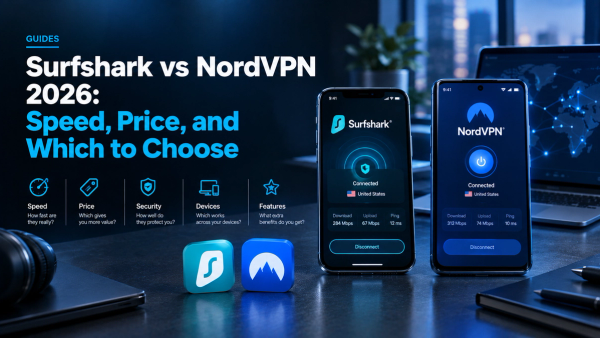
Surfshark vs NordVPN 2026: Speed, Price, and Which to Choose
Best VPN for iPhone in 2026: Top 5 iOS VPNs Tested and Ranked