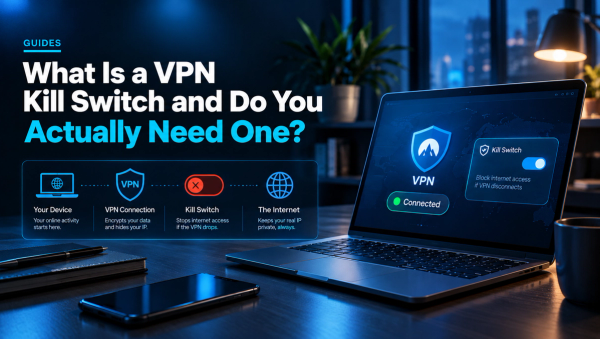
VPN vs Proxy: What's the Difference and Which One to Use
A proxy hides your IP. A VPN encrypts everything. Here's the real difference, when each one makes sense, and why free proxies are a trap.
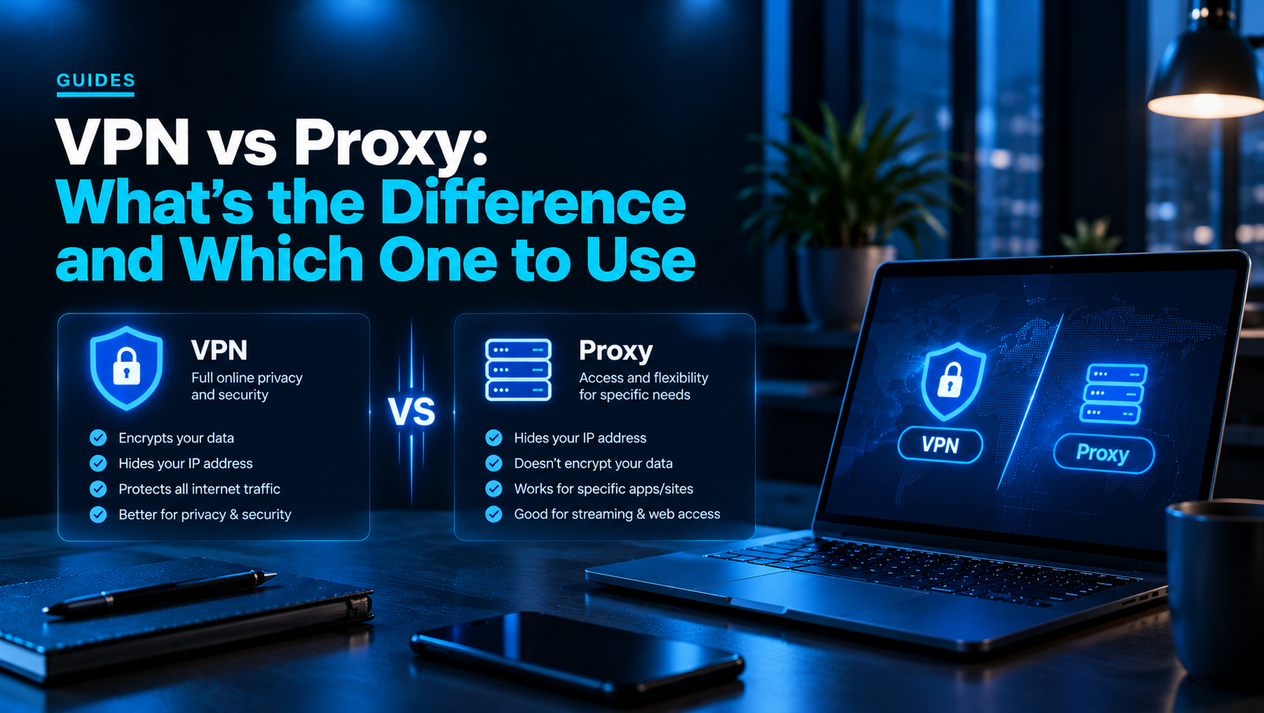
People use the terms VPN and proxy interchangeably. They are not the same thing. Both route your traffic through a middleman server and both hide your real IP address from the websites you visit — but that is where the similarity ends. One encrypts everything your device sends; the other just forwards it.
Getting this distinction wrong is not just a technical error — it is a privacy mistake. Someone who uses a free proxy instead of a VPN believing their traffic is private is not protected at all. This guide explains the actual difference, covers every type of proxy, shows you exactly when each tool is the right call, and explains why most free proxies are worse than using nothing.
What Is a Proxy Server?
A proxy server sits between your device and the internet. When you send a request — loading a webpage, watching a video, downloading a file — it goes to the proxy first, the proxy forwards it to the destination using its own IP address, and the response comes back the same way. The website sees the proxy's IP, not yours.
That is the whole job of a basic proxy: substitute your IP address. It does not encrypt your traffic. It does not protect your connection from your ISP, from the network you are on, or from anyone watching traffic on the wire. The data travels in the same form it would without the proxy — just via a different route.
Most proxies only redirect traffic from a specific app — the browser you configured it in, for example. Your other apps, background processes, and system traffic still go directly to the internet with your real IP exposed.
What Is a VPN?
A VPN (Virtual Private Network) does what a proxy does — replaces your IP with the VPN server's — and adds a layer that proxies fundamentally cannot match: it encrypts every byte of data between your device and the VPN server before it leaves your machine.
Modern VPN protocols (WireGuard, OpenVPN, IKEv2) use AES-256 or ChaCha20 encryption. That means your ISP sees an encrypted tunnel but cannot read what is inside it. Anyone intercepting your traffic on a public Wi-Fi network sees the same: encrypted noise, not readable data. The destination website sees only the VPN server's IP address.
Critically, a VPN applies to all traffic from your device at once — every app, every tab, every background process — unless you configure split tunneling to exempt specific apps. A proxy only covers the traffic you explicitly route through it.
VPN vs Proxy: The Core Differences
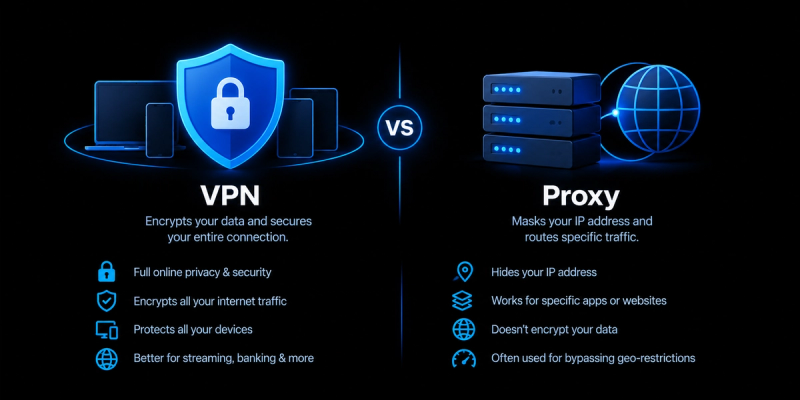
| Feature | VPN | Proxy |
|---|---|---|
| Encrypts your traffic | Yes — AES-256 or ChaCha20 | No — traffic passes in plain form |
| Hides your IP address | Yes | Yes |
| Covers all device traffic | Yes — system-wide by default | No — app or browser only |
| Protects on public Wi-Fi | Yes — encryption blocks sniffing | No — unencrypted data still exposed |
| Hides traffic from your ISP | Yes — ISP sees only encrypted tunnel | No — ISP can read your traffic |
| Works for streaming / Netflix | Yes, with quality VPN | Unreliable — most IPs blocked |
| Speed impact | 5–20% on WireGuard; varies by server | Can be faster or slower — no overhead from encryption |
| Setup | App install; one click to connect | Manual config per browser/app, or system-level |
| Cost | $3–12/month for reputable VPN | Free to ~$5/month; quality varies wildly |
| Kill switch available | Yes, on most reputable VPNs | No — no equivalent feature |
Types of Proxy Servers Explained
"Proxy" covers several different tools with meaningfully different behaviors. Knowing which type you are dealing with matters.
HTTP and HTTPS Proxies
The most common type. An HTTP proxy handles web browser traffic only. An HTTPS proxy (also called an SSL proxy) can handle encrypted HTTPS traffic, but note the distinction: HTTPS between you and the proxy does not mean your traffic is private from the proxy operator — they terminate your connection, inspect the request, then re-encrypt it forward. The proxy operator can see everything, even on HTTPS sites.
SOCKS5 Proxies
SOCKS5 is a lower-level protocol that works with any type of traffic — not just web browsers — including torrents, gaming, and other apps. It provides no encryption but is faster than many VPN connections because of this. SOCKS5 proxies are frequently offered as an add-on by VPN providers (NordVPN and Mullvad both offer them) for use cases where speed matters more than privacy — like BitTorrent downloads where you just want to mask your IP from peers, not protect the content of what you're downloading.
Transparent Proxies
A transparent proxy intercepts your traffic without you configuring anything — and often without you knowing. Schools, employers, and ISPs use transparent proxies for content filtering, caching, and monitoring. You are not using a transparent proxy for privacy; you are being routed through one whether you like it or not. A VPN bypasses transparent proxies because the encrypted tunnel makes your traffic unreadable to the interceptor.
Reverse Proxies
A reverse proxy sits in front of web servers, not in front of users. Cloudflare's network is a reverse proxy — it intercepts traffic headed to a website, caches content, and filters malicious requests before they hit the origin server. This has nothing to do with consumer privacy or anonymity; it is a server infrastructure tool. The only reason it appears in this comparison is that people sometimes encounter the term and get confused.
Why Free Proxies Are Often Worse Than Nothing
Free proxy lists are among the most dangerous tools in the online privacy space. Running a proxy server costs money — bandwidth, hardware, hosting. Free proxy operators recoup that cost somehow, and the most common methods are:
- Traffic injection: the proxy inserts ads into every webpage you visit, including on sites that do not carry ads.
- Credential harvesting: the proxy logs your usernames and passwords as they pass through — possible because there is no end-to-end encryption, even on HTTPS sites through the worst offenders.
- Bandwidth resale: your connection is sold as a residential proxy to businesses or bad actors who use your IP for scraping or worse.
- Malware delivery: some free proxy services modify the pages you visit to inject malicious scripts.
A reputable paid VPN at $3–5/month is categorically safer than any free proxy. The VPN provider's business model is the subscription; they have no incentive to harvest your data and significant legal and reputational exposure if they do. Free proxy operators have the opposite incentive structure.
When to Use a VPN vs a Proxy
| Situation | Use | Why |
|---|---|---|
| Public Wi-Fi (cafe, hotel, airport) | VPN | Encrypts traffic so attackers on the same network cannot read it |
| Streaming geo-blocked content (Netflix, BBC) | VPN | Proxies are mostly blocked; quality VPNs maintain working server IPs |
| Privacy from your ISP | VPN | Only encryption hides your browsing from your ISP; a proxy does not |
| Torrenting / P2P (IP masking only) | SOCKS5 proxy or VPN | SOCKS5 is faster; VPN adds encryption if you want it |
| Web scraping at scale | Rotating residential proxy | VPNs use datacenter IPs; residential proxies are harder to block |
| Bypassing school or work content filters | VPN | Encrypted tunnel bypasses transparent proxies; plain proxy does not |
| Quickly checking how a site looks in another country | Browser proxy or VPN | Low-stakes; either works if privacy is not needed |
| General everyday privacy | VPN | All-traffic encryption with no per-app configuration required |
"VPNs Are Slower Than Proxies" — Is That Still True?
This was true in 2015. It is largely a myth in 2026. The WireGuard protocol, now standard on every major VPN, adds almost no measurable latency on modern hardware. In real-world tests, a quality WireGuard VPN on a nearby server adds roughly 5–15ms of latency and 10–20% throughput overhead. Many free proxies, by contrast, are overloaded shared servers that are slower than a direct connection.
The only scenario where a proxy meaningfully wins on speed is a high-end paid residential or datacenter proxy on dedicated bandwidth, used for a task where encryption is irrelevant — bulk web scraping being the main example. For a normal user on a laptop or phone, a WireGuard VPN is faster than a free proxy and vastly more secure than either.
Should You Use a VPN and a Proxy at the Same Time?
Almost never, for everyday users. A VPN already replaces your IP address and encrypts all traffic. Adding a proxy on top adds zero encryption benefit (the VPN is already encrypting) and can actually introduce a new privacy risk — the proxy operator now sits between you and your encrypted VPN tunnel, and while they cannot read the content, they can log metadata about your connections.
The only legitimate use case for chaining a VPN and proxy is advanced anonymity — for example, routing through a VPN so the proxy does not see your real IP. This is a niche security practice, not something the average person needs or benefits from.
VPN vs Proxy: The Bottom Line
| If you want… | Use this |
|---|---|
| Real privacy and encryption | VPN — non-negotiable |
| Protection on public Wi-Fi | VPN — only encryption stops sniffing |
| Streaming geo-blocked content | VPN with streaming servers |
| Fastest possible speed for scraping | Paid residential proxy |
| IP masking for torrents, don't care about encryption | SOCKS5 proxy from a VPN provider |
| Free option | Free VPN with a verified no-logs policy — never a free proxy |
For any use case that involves privacy, security, sensitive data, or sustained anonymity: use a VPN. A proxy is a lightweight tool for a specific, narrow job — IP substitution with no other guarantees. The moment privacy or security enters the picture, the proxy is the wrong tool.
Related Guides
What Is a VPN and Do You Actually Need One? The Honest Answer
What Is a VPN Kill Switch and Do You Actually Need One?
Surfshark vs NordVPN 2026: Speed, Price, and Which to Choose