How to Cancel Spotify Premium on Any Device: Web, iPhone, Android, Family and Free Trials
Step-by-step guide to cancelling Spotify Premium on the web, iPhone, Android, Google Play, Apple and partner billing, Family and Duo plans and free trials, with 2026 prices, what you keep and how to confirm it worked.

To cancel Spotify Premium, sign in at spotify.com in a web browser, open your Account page, choose Manage your plan, then Cancel subscription. You cannot cancel from inside the Spotify app on iPhone or Android. Premium keeps working until your next billing date, then your account moves to the free, ad-supported plan, and your playlists and saved music stay where they are.
The exact route depends on how you pay. Below are the steps for every billing method, checked against Spotify's support pages in November 2026, along with what you lose, what you keep and how to make sure you are not charged again. With US prices up to $12.99 a month for Individual and $21.99 for Family since January, cancelling saves $155.88 to $263.88 a year.
Where to Cancel Spotify Premium: Quick Answer
| How you pay | Where to cancel | Can you do it in the Spotify app? |
|---|---|---|
| Card or PayPal with Spotify | spotify.com > Account > Manage your plan > Cancel subscription | No, use a browser |
| Google Play Billing | Play Store > Profile > Payments & subscriptions > Subscriptions > Spotify | No, use the Play Store |
| Apple (older App Store subscriptions) | iPhone Settings > your name > Subscriptions > Spotify | No, use iPhone Settings |
| Phone carrier, internet provider or bundle | The partner that bills you (link shown under Payment on your Spotify account) | No |
| Family or Duo member | Only the plan manager can cancel the plan | No |
| Gift card or prepaid code | Nothing to cancel; Premium ends when the code runs out | Not needed |
How to Cancel Spotify Premium on the Web (Works on Any Device)
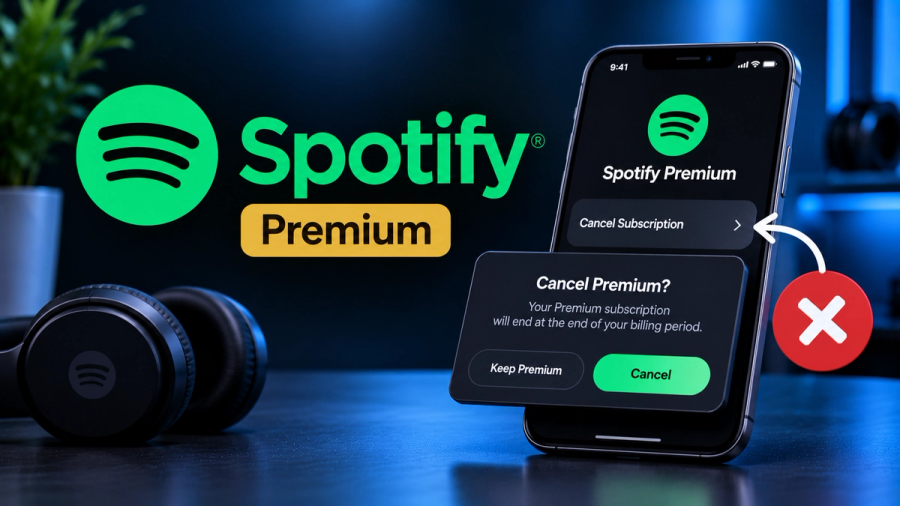
This is the method for most people, because most subscriptions are billed by Spotify directly. It works in any browser on a computer, an iPhone or an Android phone.
- Open a browser and go to spotify.com. Log in with the account that has Premium.
- Click your profile picture, then Account.
- Under Subscription, select Manage your plan. (On some versions of the page this button reads Change or Cancel.)
- Select Cancel subscription. Spotify may show you a cheaper plan or an offer first; scroll past it if you still want to cancel.
- Confirm the cancellation. Your Account page will now show the date your Premium ends.
If there is no option to cancel or change your plan, your subscription is billed by a partner, not by Spotify. Skip to the partner section below.
How to Cancel Spotify Premium on iPhone
The Spotify iPhone app has no cancel button, and it does not let you upgrade either. Use Safari or another browser and follow the web steps above. The only exception is an old subscription paid through Apple. Spotify stopped accepting App Store billing in 2023 and moved those subscribers to the free plan at the end of their last billing period, so very few people are still billed by Apple. To check:
- Open Settings and tap your name at the top.
- Tap Subscriptions. If Spotify is listed, tap it, then Cancel Subscription and confirm.
- If Spotify is not listed, Apple is not billing you. Cancel through spotify.com in Safari instead.
How to Cancel Spotify Premium on Android and Google Play
On Android, most people pay Spotify directly, so the web steps above in Chrome are the way to go. If you subscribed through Google Play Billing, cancel in the Play Store instead:
- Open the Google Play Store app and tap your profile icon.
- Tap Payments & subscriptions, then Subscriptions.
- Select Spotify, tap Cancel subscription and follow the prompts. You can also do this at play.google.com/store/account/subscriptions in a browser.
Not sure which one bills you? The Payment section of your Spotify Account page names it. Uninstalling the app does not cancel anything.
Cancel Spotify Premium Billed by a Partner, Bundle or PayPal
- Mobile or internet provider: Spotify's support page says that if you see no option to change your plan, it is tied to a partner. Open Manage your plan, check Payment, and use the partner's contact link shown there.
- Bundles such as a Hulu package: cancel with whichever company bills you for the bundle.
- PayPal: cancel in Spotify first, then check PayPal's automatic payments list to make sure the Spotify agreement has stopped.
- Gift cards and prepaid codes do not renew, so Premium simply ends when the time runs out.
How to Cancel Spotify Premium Family or Duo
| You are | What to do | What happens |
|---|---|---|
| Plan manager | Follow the web steps above | Every member loses Premium from the next payment date and moves to the free plan. Tell them first |
| Plan member | Following the steps only removes you from the plan | The plan carries on. Ask the manager to cancel it or change the payment method |
If you are a member and want your own Premium after leaving, you will need to start an Individual plan at $12.99 a month. Leaving a Family plan does not touch your playlists, which belong to your own account.
How to Cancel a Spotify Premium Free Trial
Use the same web steps. The difference is timing: Spotify says that if you cancel during a free trial with no charge, your account switches to the free plan straight away rather than at the end of the trial, and a zero-priced trial cannot be restarted. If you want to keep every day of the trial, set a reminder for a day or two before it ends and cancel then. Trials that cost something, such as a discounted first month, run until the paid period ends.
What Happens When You Cancel Spotify Premium
| Item | After you cancel |
|---|---|
| Premium features | Keep working until your next billing date |
| Playlists, liked songs, saved albums, followed artists | Kept on the free plan |
| Downloaded songs and podcasts | Stop playing once Premium ends; offline listening is Premium-only |
| Ads | Return when Premium ends |
| Playback on mobile | Back to free-plan limits, including shuffle play on many playlists and limited skips |
| Audiobook hours | The monthly Premium allowance ends |
| Your account and login | Stay the same; you can resubscribe any time |
Spotify Premium Prices in 2026: What Cancelling Saves
Spotify raised every US plan in January 2026, with the new prices applied from each subscriber's next billing date.
| Plan (US) | Before Jan 2026 | Now | Saved per year if you cancel |
|---|---|---|---|
| Individual | $11.99 | $12.99 | $155.88 |
| Student | $5.99 | $6.99 | $83.88 |
| Duo (2 accounts) | $16.99 | $18.99 | $227.88 |
| Family (up to 6 accounts) | $19.99 | $21.99 | $263.88 |
How to Check That Your Cancellation Worked
- Reload your Account page. It should show your plan ending on a date, not renewing.
- Look for Spotify's confirmation email, and keep it until your next billing date passes.
- If you pay with PayPal, Google Play or Apple, check that service's subscription list too.
- Check your bank or card statement after the billing date. A charge you do not recognise often means a second Spotify account, so log in with any other email address you use.
Cancel Spotify Premium vs Delete Your Spotify Account
| Cancel Premium | Delete account | |
|---|---|---|
| Stops payments | Yes | Yes, but cancel Premium first |
| Keeps your playlists and library | Yes | No, they are removed |
| Can you come back? | Yes, any time | Not to the same account |
| Best for | Saving money or taking a break | Leaving Spotify for good |
If you are moving to another service, transfer your playlists while your account is still active. Tools such as Free Your Music or Spotify's own playlist exports can copy them across.
Can You Get a Refund From Spotify?
Cancelling normally does not give money back for the current month. Instead, you keep Premium until the end of the period you have paid for. Spotify has a separate refund policy page for exceptions, such as charges you did not authorise, and local consumer laws can give extra rights. If you were charged after cancelling, contact Spotify support with your confirmation email.
Before You Cancel: Cheaper Ways to Keep Spotify
- Student: $6.99 a month if you are at an eligible college, about half the Individual price.
- Duo: $18.99 for two people at the same address works out to $9.50 each.
- Family: $21.99 split six ways is about $3.67 each.
- Free plan: on a computer it is still very usable; the bigger limits are on mobile.
If you are on the fence, our Spotify Premium worth it guide compares the free and paid plans feature by feature.
Can't Cancel Spotify Premium? Common Problems
| Problem | Fix |
|---|---|
| No cancel option on the Account page | A partner bills you; use the contact link under Payment |
| No cancel button in the app | Expected; use spotify.com in a browser |
| Spotify not listed in iPhone Subscriptions | Apple does not bill you; cancel on the web |
| Cancel removed you from Family but did not stop the plan | You are a member; ask the manager |
| Still charged after cancelling | Check for a second account, PayPal, Google Play or Apple, then contact Spotify support |
Review Your Other Subscriptions Too
If you are cutting costs, check what else renews each month. We have looked at whether YouTube Premium is worth it, whether Amazon Prime is worth it and whether ChatGPT Plus is worth it. YouTube Premium also includes YouTube Music, so if you already pay for it, a separate Spotify subscription may be one you can drop.
How We Researched This
We checked the steps against Spotify's support article on cancelling Premium plans in November 2026, Google Play's subscription settings and iPhone Settings. Price changes come from Spotify's January 15, 2026 announcement as reported by MacRumors, and the App Store billing change from MacRumors' July 2023 report. Spotify updates its Account page from time to time, so button names may differ slightly; the path stays Account, then plan, then cancel.
Cancel Spotify Premium: FAQ
Can I cancel Spotify Premium in the app?
No. Neither the iPhone nor the Android app has a cancel button. Use spotify.com in a browser, or the Play Store or iPhone Settings if Google or Apple bills you.
Do I lose my playlists if I cancel Spotify Premium?
No. Playlists, liked songs and saved albums stay on your account. Only downloads stop working, and ads return.
When does Spotify Premium end after I cancel?
On your next billing date. The exception is a free trial with no charge, which ends as soon as you cancel.
Why can't I find the cancel option?
Your plan is probably billed by a partner such as your phone carrier, or you are a member of a Family or Duo plan. Your Account page shows who bills you.
Does deleting the Spotify app cancel Premium?
No. Removing the app changes nothing about billing. You must cancel the subscription itself.
How much does Spotify Premium cost in 2026?
In the US: $12.99 a month for Individual, $6.99 for Student, $18.99 for Duo and $21.99 for Family, after the January 2026 increase.